Sony RX10 Mk V User's Guide
< < back to Sony RX10 Mk V Review
Sony: A9 III A1 II A1 A9 II A7R VI A7R V A7R IV A7 V A7 IV A7 III A7S III A7CR A7C II A7c FX3 FX2 ZV-E1 A6700 A6600 A6400 ZV-E10 II ZV-E10 ZV-1 II RX1R III RX10 V RX10 IV RX100/7 Flash Lenses
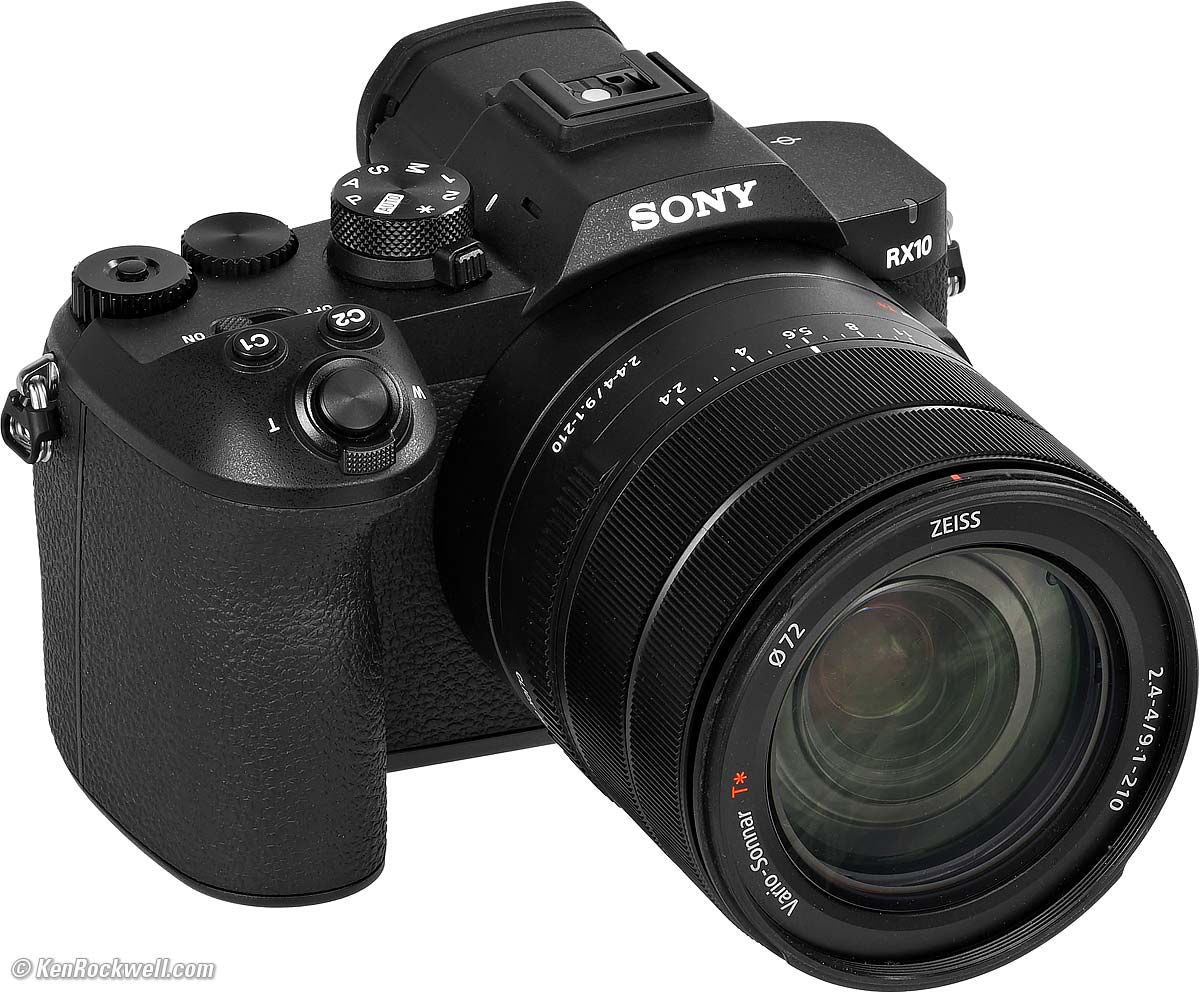
Sony RX10 Mark V (72mm filters, 39.1 oz./1,110g with battery and SD card, super close-focus, $2,298). bigger.
I'd get the RX10 V at B&H, at Crutchfield, at Amazon or at Adorama, or get it used at eBay (How to Win at eBay), or get it used at KEH.
It's not shipping until about August 6th 2026, and then only to the first people who've ordered them. You have to you have to order yours today and be patient. It's so popular that impatient people have already paid $3,000 each to get the first ones because they didn't order as soon as they could have.
My junk-free, all-content website's biggest source of support is when you use those or any of these links to the places I use myself when you get anything, and it costs nothing more. I've bought from these places for over 100 combined years because they have the best service, the best selection, the best prices, and usually 100% cash-back returns for at least 30 days if you don't love your new goodies. As an Amazon Associate and eBay Partner Network Affiliate, I earn from qualifying purchases. Thanks for helping me help you! Ken.
September 2026 Sony Zeiss Nikon Canon Fuji LEICA All Reviews
< < back to Sony RX10 Mk V Review
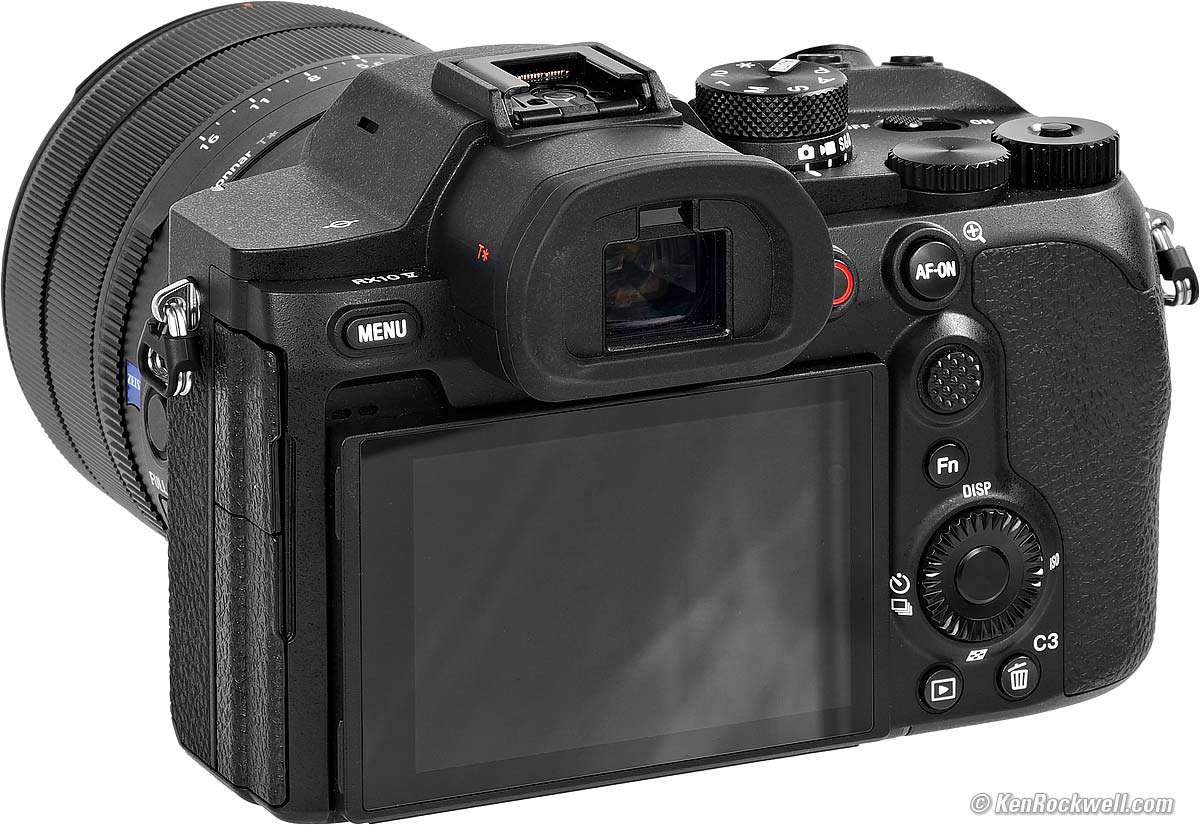
Sony RX10 Mk V. bigger.

Basic Setup & Menus
Sony does an excellent job of hiding what we need in completely random locations. Worse, they move around from version to version!
Here's where I find what I need and how I set it.
The MENU button is at the top left on the back of the RX10 V.
Know that many of these settings also can be assigned to buttons or the Fn screen.
Power and Battery top
My battery seems to run forever on a charge, so I see no need for a spare NP-FZ100 for even a hard day's shooting.
I shot for five hours and made 5,000 shots at a baseball game with lots of continuous sequences, and still has 25% charge left.
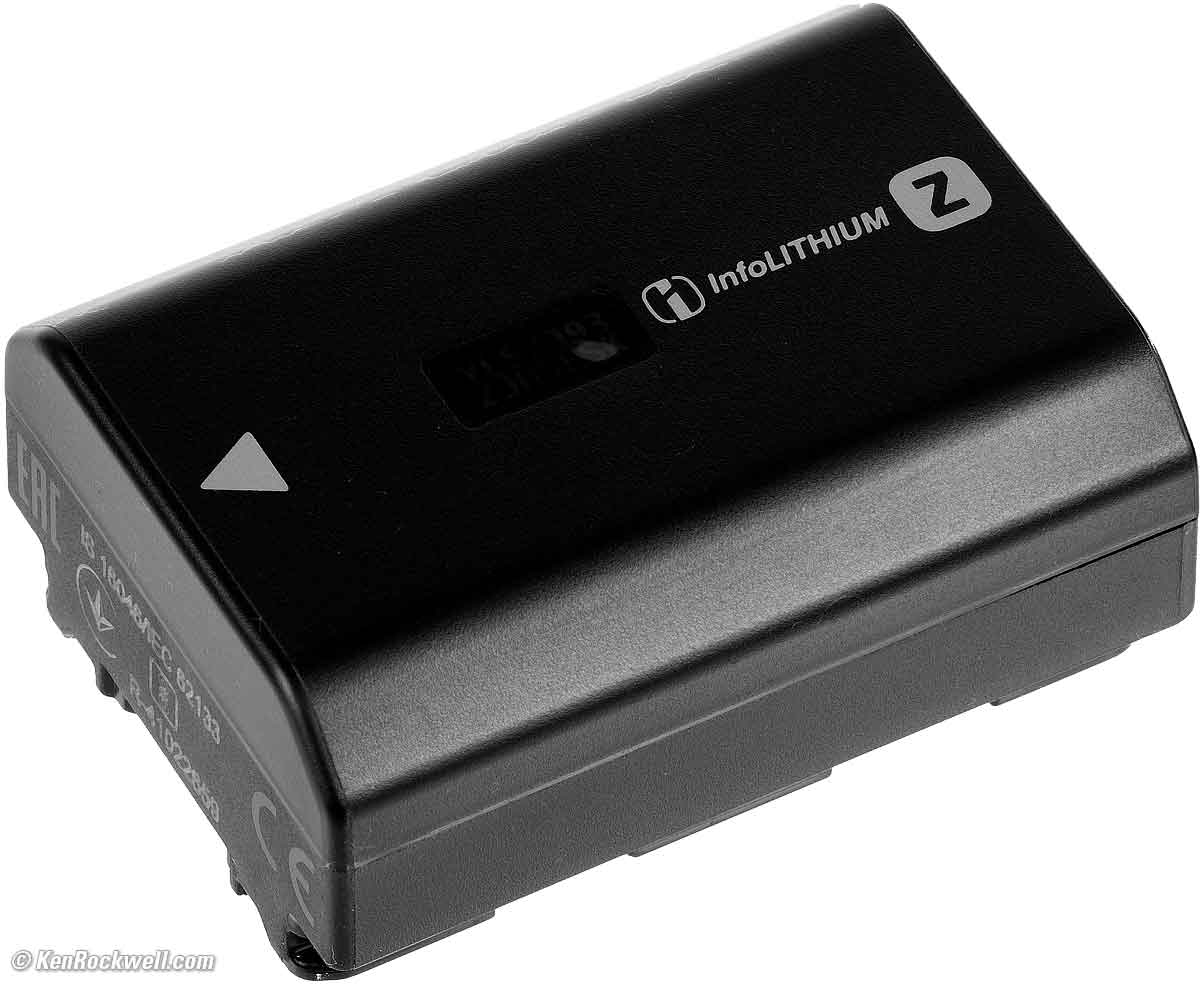
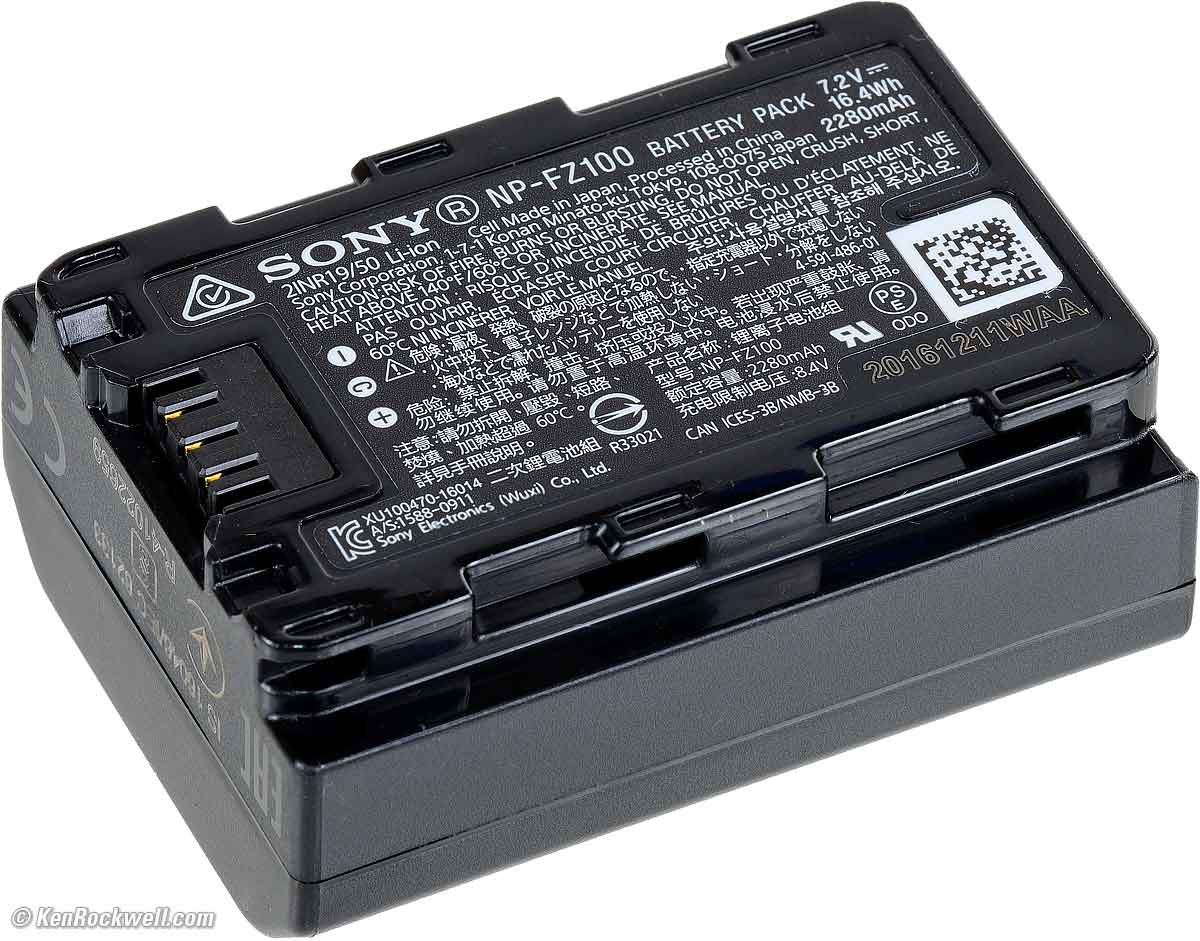
A Sony NP-FZ100 rechargeable lithium ion battery is included:
|
|
Charging
It charges via USB-C, and the camera can run from USB power so long as there's a battery installed.
Optional is the Sony BC-QZ1 External Battery Charger.
A nice feature is its three-segment battery status indicator. It shows about 2/3 charged here:
|
|
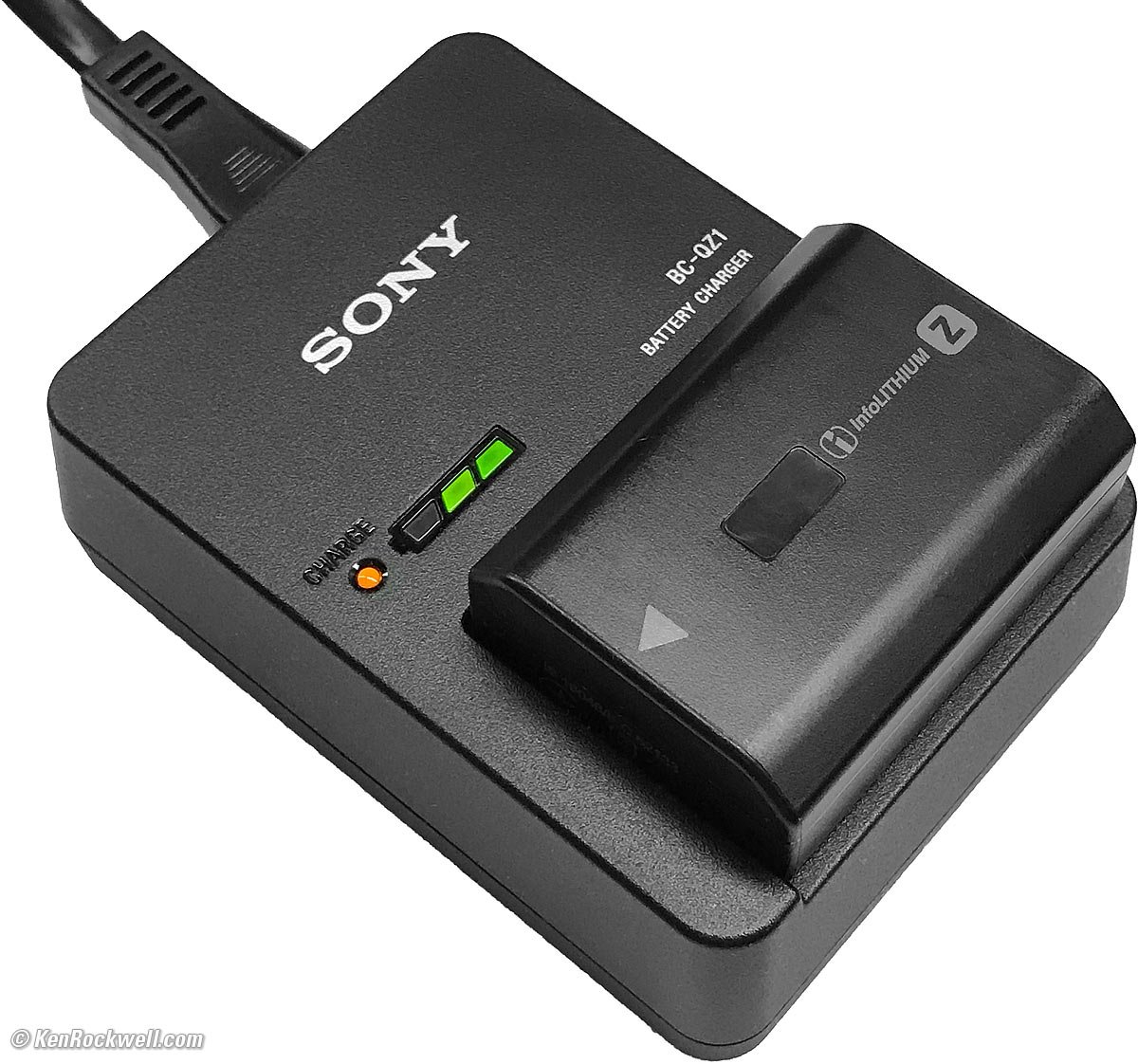
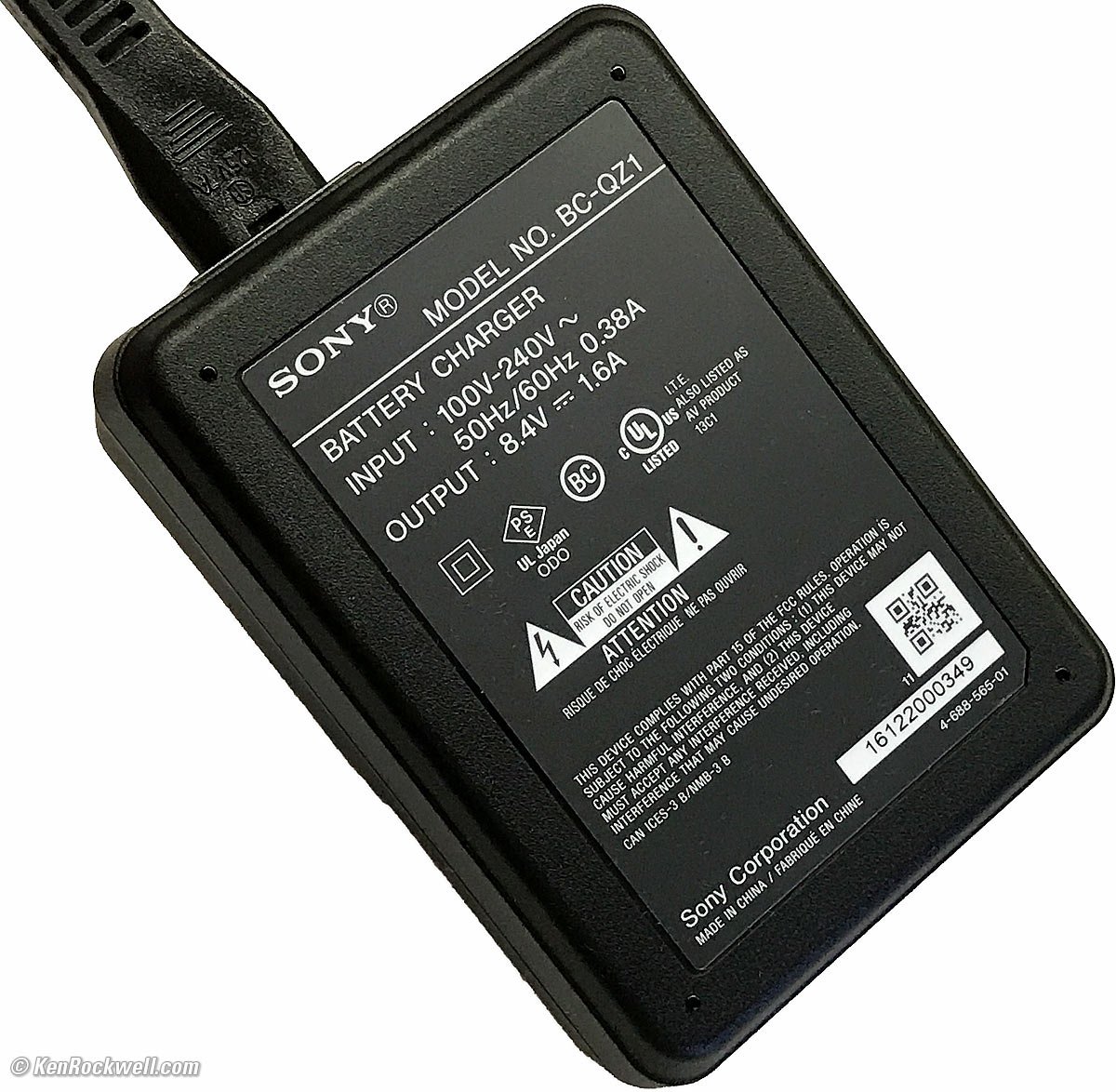
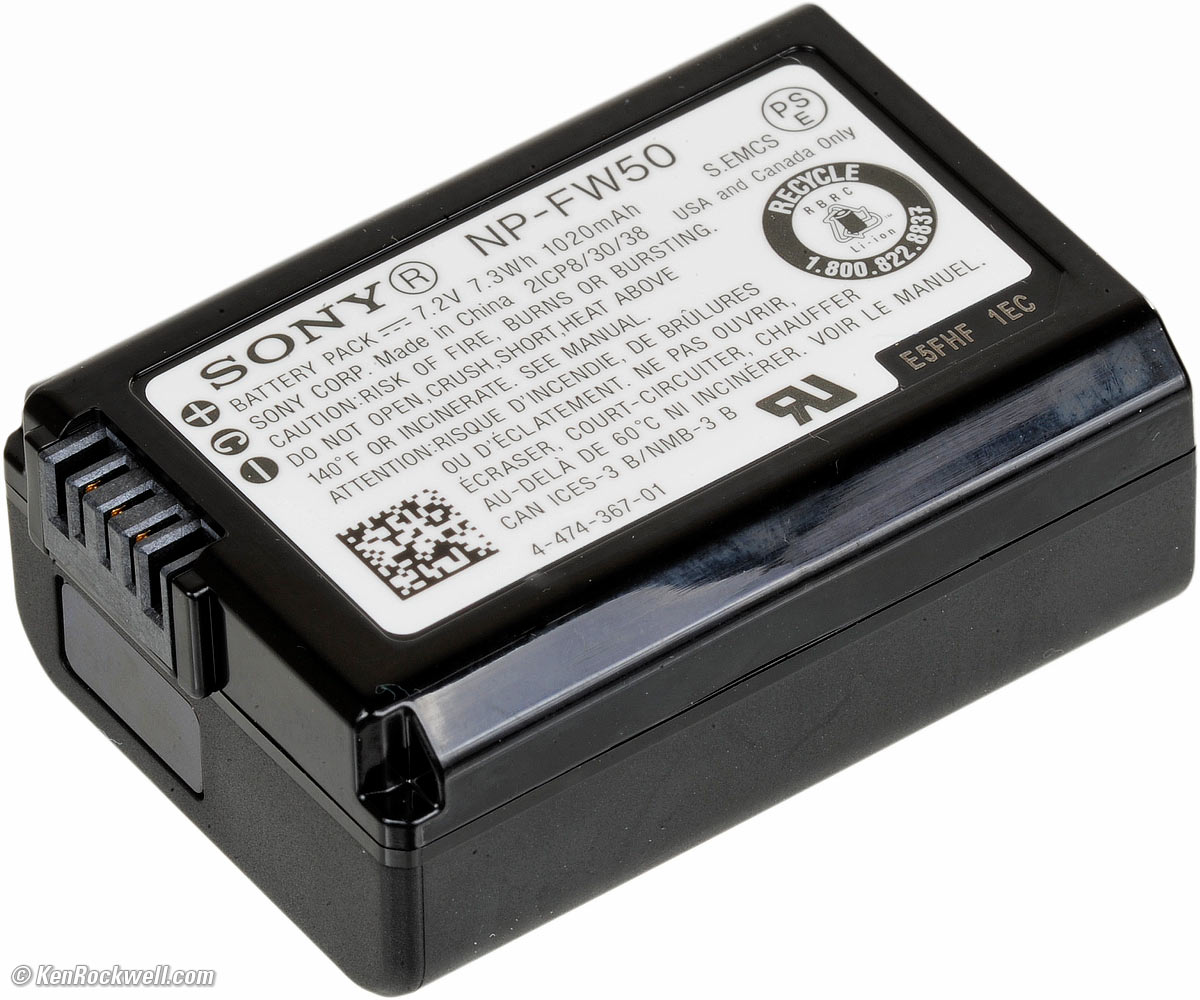
You can charge two batteries at once; one in the camera via USB and the other in this charger.
Unless you can't charge every night, I doubt anyone will need a spare battery or charger.
Set Clock top
MENU > Setup (yellow toolbox icon) > page 1 (43/57) Area/Date > Area/Date/Time Setting.
Format Card top
MENU > Shooting (red camera icon) > page 2 (5/57) Media > Format.
Daily Automatic Folder Creation top
Set MENU > Shooting (red camera icon) > page 3 (6/57) File > File/Folder Settings > Folder Name > Date Form, and the RX10 V creates a new folder each day.
Copyright Info top
MENU > Shooting (red camera icon) > page 3 (6/57) File > Copyright Info.
Set this to record your name and contact information into the EXIF data of every picture you take.
Shutter Type (Silent Mode) top
MENU > Shooting (red camera icon) > page 6 (9/57) Shutter > Shutter type.
I prefer the silent electronic shutter, except that flash only works with the regular nearly-silent mechanical shutter.
There is no Auto Electronic/Mechanical shutter mode.
Slow Shutter Speeds top
If for some reason you can't get to the slower speeds, be sure not to be shooting at such a high frame rate that it's not possible.
For instance, at Hi+ advance mode (30 FPS), you won't be able to set a shutter speed slower than 1/30 — and it won't tell you why you can't set slower speeds.
Time Exposures and Bulb top
The Bulb mode keeps the shutter open for as long as you press the shutter button.
The Bulb setting is well hidden.
To get to Bulb you have to set the Single Shot advance mode (MENU > Shooting (red camera icon) > page 5 (8/57) Drive Mode > Drive Mode >  Single Shot.). If you have any of the continuous modes set, there will be no bulb setting.
Once in Single Shot advance mode, select Manual exposure mode (M on the top dial) and then select a shutter speed one click slower than 30 seconds, where you'll see "B."
There are more menu options for a Bulb Timer, allowing us to set an exact exposure time for Bulb without us having to stand there looking at a watch.
Setting ISOs top
There's an ISO button on the rear controller, or set it at MENU > Exposure/Color page 1 (15/57) > Exposure > ISO.
This is also where you can setup Auto ISO as well as the slowest shutter speed used before the camera starts increasing the ISO.
I use AUTO SLOWER for minimum Aut ISO shutter speed for still subjects, 1/125 for people, events and posed portraits, 1/500 for night sports and 1/1,000 or 1/2,000 for daytime sports. Set this by trail and error to the slowest speed which give you sharp results for whatever you're shooting.
Face Detection & Facial Recognition top
MENU > AF/MF page 3 (22/57) Subject Recognition > Subject Recog. in AF > ON, and > Recognition Target (your choice).
I leave Target at AUTO; feel free to set it at Human or as you like.
Autofocus Settings top
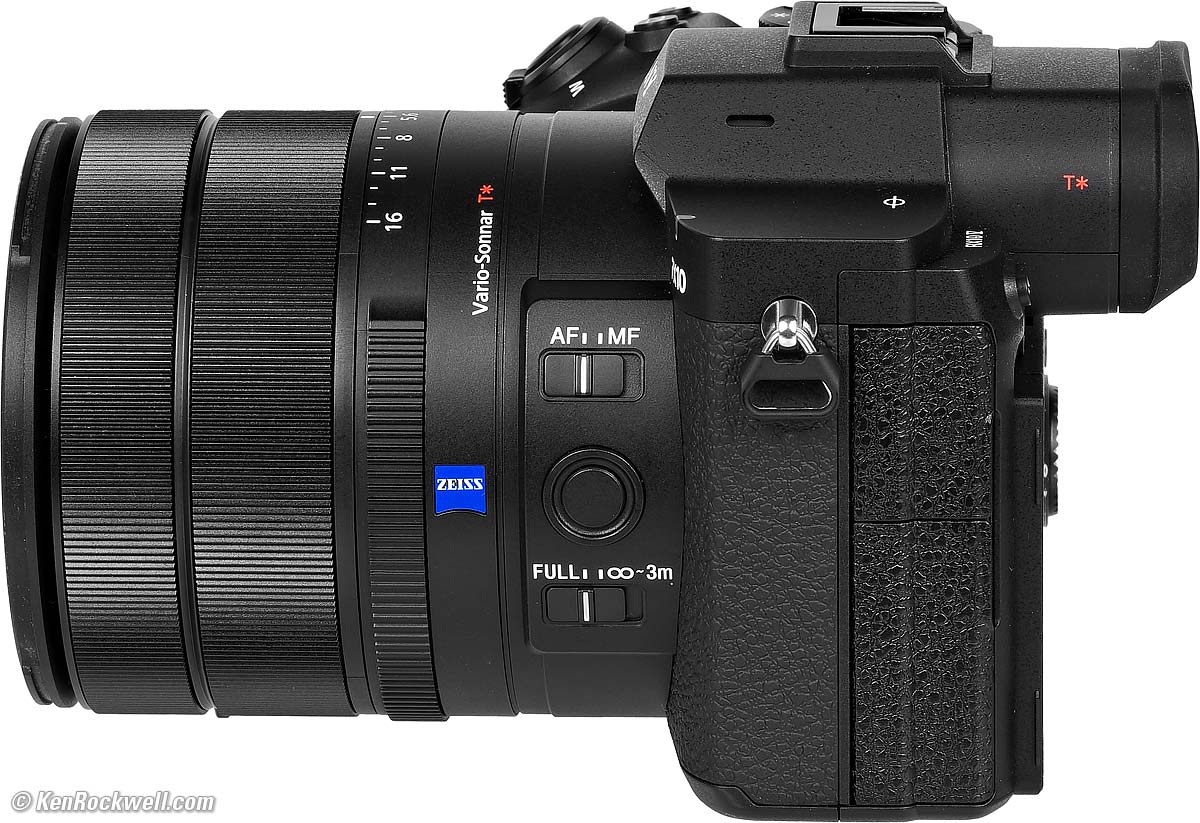
Sony RX10 Mk V. bigger.
AF / MF Control
AF: Autofocus. Depending on what your subject is doing or how the other menus are set, it either focuses and locks (AF-S), or continuously tracks the subject (AF-C).
MF: Manual Focus: Turn the front ring to focus. There is no autofocusing in this position.
FULL / ∞ ~ 3m switch
The FULL / ∞ ~ 3m slide switch lets you limit the range over which the autofocus system operates:
FULL lets the camera operate normally and focus at all distances.
∞-3m prevents the camera from focusing closer than 3 meters (10 feet). Use this position if you're shooting at a distance at the longer end of the zoom range and the autofocus system is slowing down because it's trying to find subjects closer. Using this position tells it not to look for subjects closer than 10'/3m.
AF Lock Button
Hold the unmarked button to the right of ZEISS to lock autofocus.
Exposure Mode top
Set this on the top dial.
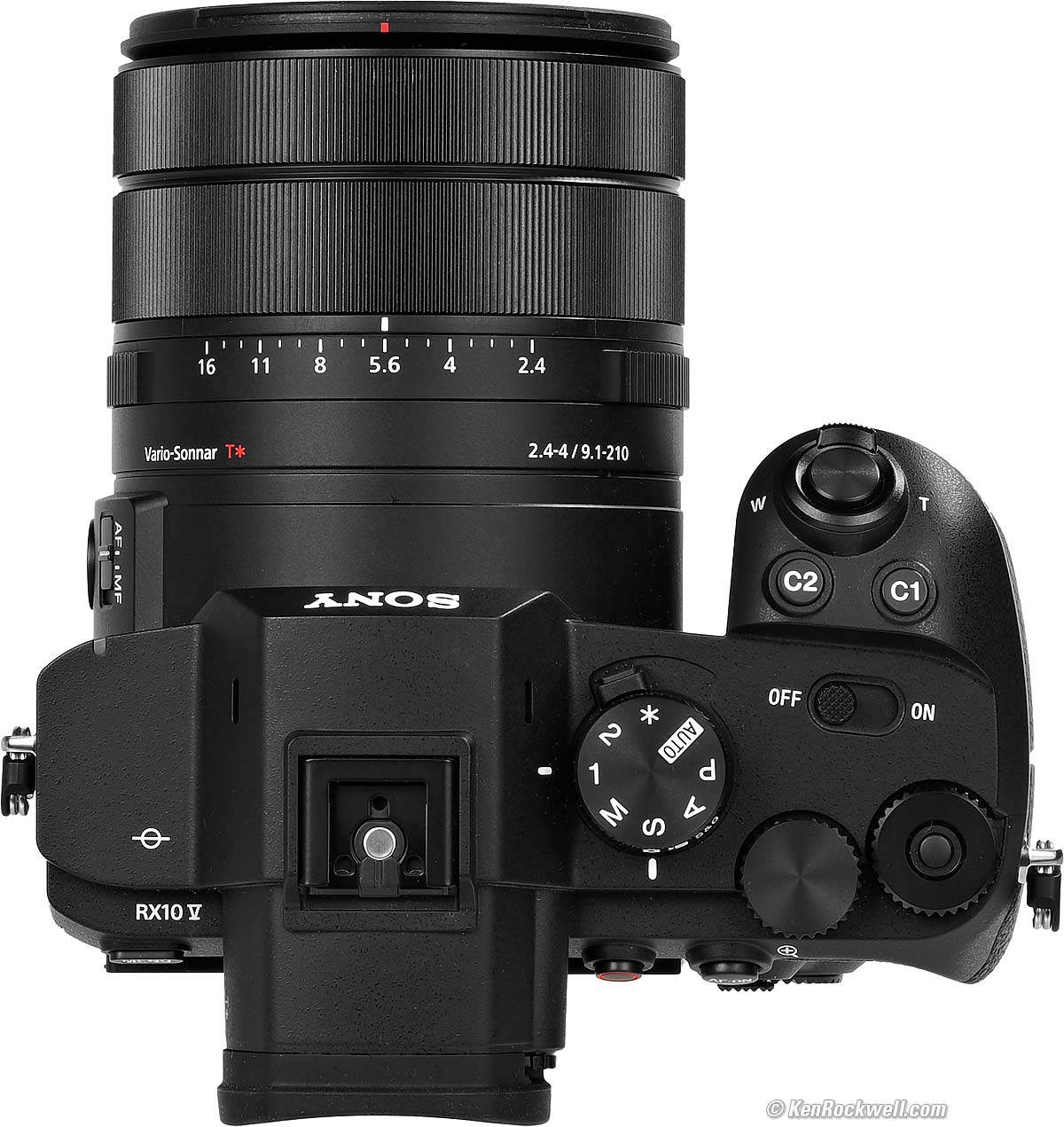
I almost always use P (Program), which favors wide apertures in the RX10 V. Set this on the top left dial.
No worries if I want smaller apertures; I just flick the rear dial until I get the combination of aperture and shutter speed I prefer, or turn the dial to A and set it on the aperture ring.
Zooming top
I prefer to use the zoom lever around the shutter for fast zooming, and the zoom ring around the lens for precise framing.
Zoom is electronic.
The RX10 V wakes up at your previous zoom setting, even if it was 600mm, so if you don't expect to be needing 600mm for the next shot, zoom out to a wider setting before you turn it off to save yourself from having to wait for it to motor out the next time.
I turns back ON from OFF at 24mm.
You can change the zoom setting while the shutter is half-pressed, but you cannot change the zoom setting while you're shooting a continuous sequence. You can't zoom out as a sports player, race car or flying dog gets closer; it's stuck where is was when you start the continuous sequence.
Zoom Assist top
You can program a button to zoom out as you hold it, and zoom back to where you were when released.
This way if you lose sight of a subject while zoomed-in, it's easy to find it again.
Set this at:
MENU > Setup (yellow toolbox icon) > page 3 (45/57) Operation Customize > (camera icon) Custom Key/Dial Set. > OK > (select your button to program to this) > OK, then find Zoom Assist at Red Camera Icon page 8 (7/35) > Zoom Assist.
Digital Zoom top
Sony has many confusing Digital Zoom options.
Set these at MENU > Red Camera icon page 8 (11/57) Zoom > Zoom Range.
"Clear Image Zoom" goes to 2x, or 1,200m eq. Sony says this uses the best interpolation.
"Digital Zoom" gets to 4x, or 2,400mm eq.!
Drive (Advance) Mode, Bracketing & Self Timers top
MENU > Shooting (red camera icon) > page 5 (8/57) Drive Mode > Drive Mode.
Custom Buttons top
MENU > Setup (yellow toolbox icon) > page 3 (45/57) Operation Customize.
This is where you program all the buttons as you want.
Program these as you like; I set mine to:
C1: Auto ISO Minimum Shutter Speed.
C2: Aspect Ratio (cropping).
C3: Zoom Assist (more about this feature below).
Beeps top
MENU > Settings (yellow toolbox icon) > page 10 (54 of 57) > Sound Option > Audio Signal (shooting).
Please turn these off for your own sanity.
Touch Screen top
MENU > Setup (yellow toolbox icon) > page 5 (48/57) Touch Operation.
Be sure to turn this OFF, otherwise your nose constantly will hit the touch screen and reset the AF area to the lower left. It took me a long time to figure out why my camera was mysteriously reselecting those AF areas on its own!
Steady Shot (Image Stabilization) top
MENU > Shooting (red camera icon) > page 7 (10/57) Image Stabilization > Steady Shot.
I leave this at its default of ON, unless I'm on a tripod, in which case I turn it OFF.
Flash top
There is NO built-in flash.
The Mark V's "multi-interface" shoe requires a flash with the newest 9-pin shoe connectors like the HVL-F28RMA, HVL-F46RM or HVL-F60RM2. Older Sony flash like the HVL-F20AM won't work properly on the Mark V.
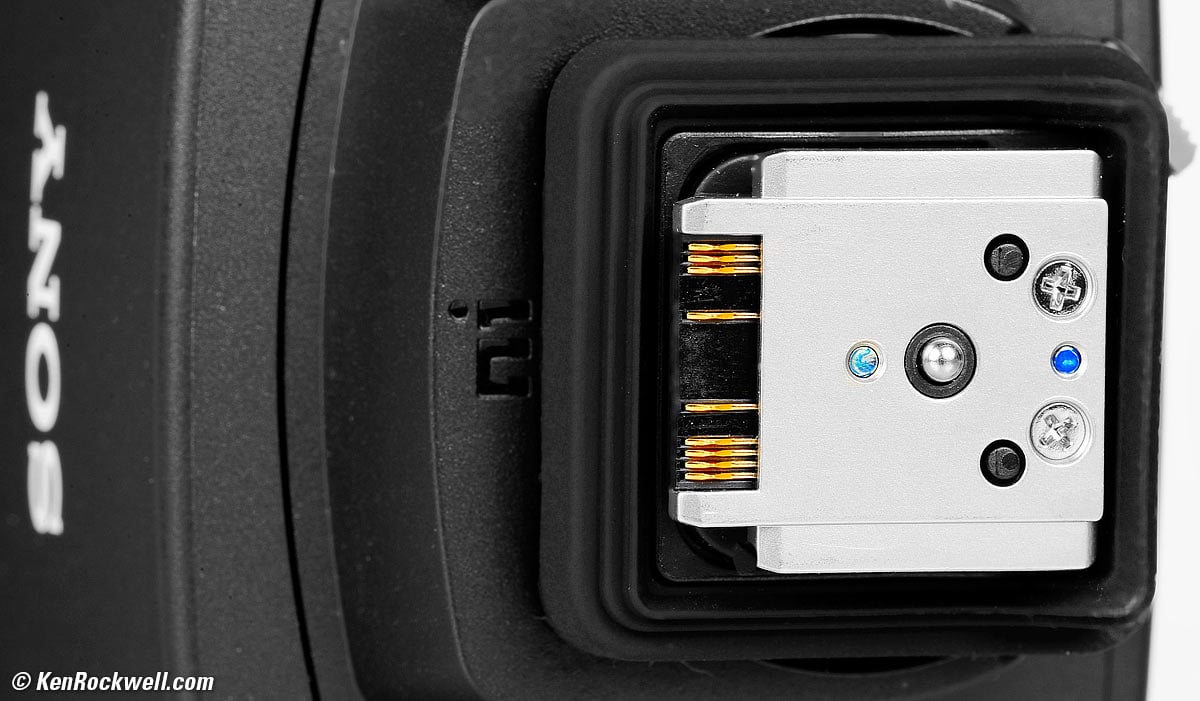
Personally I suggest the Godox iT32 with the X5S Sony module.
Élan top
People look foolish looking at the back of a camera while in public. People instinctively know that anyone who has to look at the back of his camera is clueless; either he doesn't have his camera set properly or has little confidence that his images are any good.
If you must look at menus or played-back images while in public, use the electronic finder. You still look as if you're shooting something exciting.
Image Review (picture plays back after you press the shutter) top
MENU > Setup (yellow toolbox icon) > page 8 (51/57) Display Option > Auto Review.
I leave this off. It slows me down if left on.
Playback Rotation top
Set MENU > Playback page 7 (34/57) Playback Option > Display Rotation > Auto, and then playback rotates as you turn the camera, just like an iPhone.
Watch Your Fingers top
Keep your fingers out of a collapsing lens, otherwise it can and will catch your finger as it tries to close.
If your finger does get caught, it will open back up automatically.
Protection top
I never use the hood; it doesn't actually do anything. I leave my hood in the box for resale time.
I use a clear (UV) protective filter instead of a cap (exactly like an iPhone) so I'm always ready to shoot instantly. I only use a cap when I throw this in a bag with other gear without padding — which is never. The UV filter never gets in the way, and never gets lost, either.
The very best protective filter is the 72mm Hoya multicoated HD3 UV which uses hardened glass and repels dirt and fingerprints.
For less money, the B+W 72mm 010 MRC MASTER, Hoya 72mm NXT Plus and even the most basic Hoya 72mm multicoated UV all work great to protect this lens with varying degrees of environmental toughness, while the Hoya HD3 is the toughest and longest-lasting in the field.
Filters last a lifetime, so you may as well get the best. The Hoya HD3 stays cleaner than the others since it repels oil and dirt.
All these filters are just as sharp and take the same pictures, the difference is how much abuse they'll take and stay clean and stay in one piece. Since filters last a lifetime or more, there's no reason not to buy the best as it will last you for the next 50 years. Filters aren't throwaways like digital cameras which we replace every few years, like it or not. I'm still using filters I bought back in the 1970s!
< < back to Sony RX10 Mk V Review
© Ken Rockwell. All rights reserved. Tous droits réservés. Alle Rechte vorbehalten. Alla rättigheter förbehållna. Toate drepturile rezervate. Niciun vampir nu a fost implicat în crearea acestei lucrări. Omnia jura reservata. Ken Rockwell® is a registered trademark.
Help Me Help You
I support my growing family through this website, as crazy as it might seem.
The biggest help is when you use any of these links when you get anything. It costs you nothing, and is this site's, and thus my family's, biggest source of support. eBay is always a gamble (see How to Win at eBay), but all the other places always have the best prices and service, which is why I've used them since before this website existed. I recommend them all personally.
If you find this page as helpful as a book you might have had to buy or a workshop you may have had to take, feel free to help me continue helping everyone.
If you've gotten your gear through one of my links or helped otherwise, you're family. It's great people like you who allow me to keep adding to this site full-time. Thanks!
If you haven't helped yet, please do, and consider helping me with a gift of $5.00.
As this page is copyrighted and formally registered, it is unlawful to make copies, especially in the form of printouts for personal use. If you wish to make a printout for personal use, you are granted one-time permission only if you PayPal me $5.00 per printout or part thereof. Thank you!
Thanks for reading!