Nikon
D300 (Aug 2007)
© 2007 KenRockwell.com

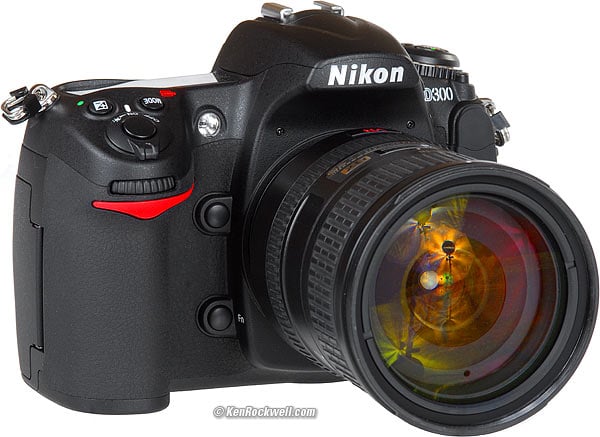
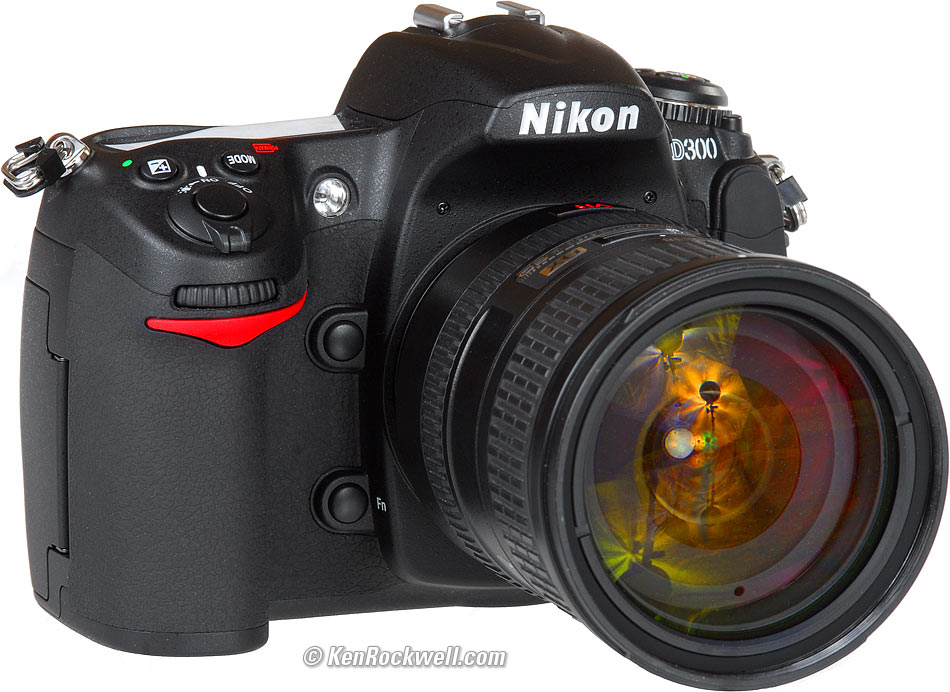
Nikon D300. enlarge. I got mine from Ritz; Adorama, Amazon and B&H Photo Video are also great places. It helps me keep adding to this site when you use these links to get yours, thanks! Ken.
Top Intro Specifications Recommendations
Nikon shares D300 sample images here. See also Nikon's D3 example images.
If you compare them at 100% you'll see the D300 images are much softer, but that's because they were shot at such a small aperture (f/16) that diffraction is limiting the D300 images. The D3 images were shot at larger apertures, so it's not entirely a fair example of the superiority of full-frame.
The Nikon D300 was announced August 23rd 2007.
The D300 is a 12MP DX (1.5x crop factor), 6 FPS (8 FPS with grip), 3" LCD DSLR. It's $1,799.95, you can order it now, and if you do, it ought to arrive for you in November 2007. Wait until November, and it likely will be on deeper backorder.
The D300 is a nice evolution from the Nikon D200, but it's not revolutionary as the D200 was in 2005. The equally new Nikon D3 is revolutionary: full-frame 9 FPS for the same price as the D2Xs.
If you want a new Nikon DSLR for about $1,800, just order a D300. If you already have a D200, I wouldn't go out of my way to dump it for the D300 unless one of the D300's new features, like live-viewing on the exquisite new LCD, faster frame rates, or possibly broader range of color adjustments, are critical to you.
Since the D300 has no significant new core technology, the great news is that everything you're using today with the current D200, D80, D40x, D40 and D2Xs is 100% compatible. The SB-400, SB-600 and SB-800 flashes are 100% compatible and optimized for the D300. Every AF lens made since 1985 works perfectly, including of course the latest DX lenses like my favorite Nikon 18-200mm VR and 12-24mm.
The D300 is 110% compatible with the Nikon system, since it also works great with old manual-focus AI film lenses. The D300 works with everything you already own; nothing is made obsolete by the D300 that hasn't already been obsolesced by the D70 back in 2003.
Too many people fret pointless things like high ISO performance, even though they don't matter in 99 - 100% of most people's photography. Heck, I was shooting in moonlight last night, but at ISO 100 on a tripod. I have no idea what the high ISO looks like on the D300, and don't really care. Unless you're shooting in the dark hand-held (I do), you shouldn't either. I'll let you know when mine shows up. High ISOs are easy to compare, so people do; they aren't what makes a camera a good camera.
The D300 has many features in common with the Nikon D3, so you'll see many similarities in my review.
New and Useful Technology
High-Definition 267 PPI 3" LCD
Forget the D300's sensor resolution, which for all practical purposes is indistinguishable from the D200; get the D300 for its monitor!
The LCD has 920,000 dots (640 x 480 x 3 [RGB]), much more than the 320 x 240 x 3 = 230,000 dot screens of the D40, D40x, D80, D200, the Canon Rebel XTi, Canon 40D, $4,500 Canon 1D Mk III or $8,000 Canon 1Ds Mk III.
This means there is twice the linear resolution compared to the 3" LCDs of Canon. The D300's LCD has 640 x 480 pixels. All the other 2.5" and 3" LCDs out there are only 230,000 dots, or about 320 x 240 pixels.
I'll gamble that the Nikon D300 screen looks worlds better than anything else from Canon or Nikon (other than the Nikon D3 with the same screen), just as the screen on my $500 Nikon D40 looks worlds better than the comparatively awful screen of my beloved $2,500 Canon 5D.
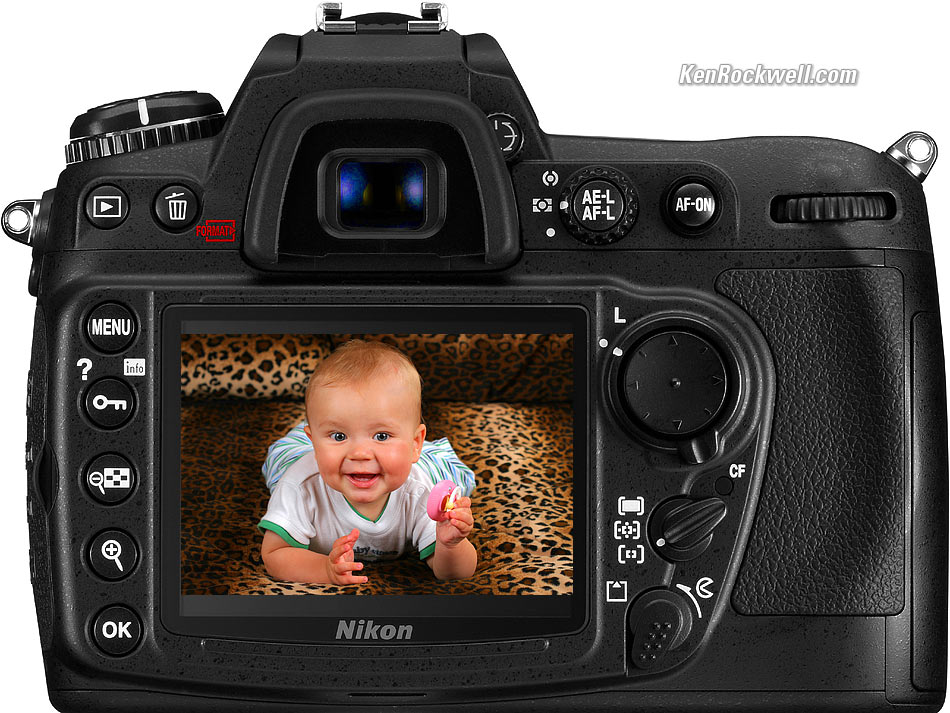
Nikon D300 (fake photo from my Canon 5D) enlarge
Your computer screen is 100 pixels per inch, usually called DPI. The complete photo of the camera above is only 600 pixels wide, so it probably measures about 6 inches (15cm) on your screen. The baby image I Photoshopped onto the screen is only is 247 pixels wide. The enlarged version is 950 pixels wide, and the baby's frame is still only 347 pixels wide, half the horizontal resolution of the D3's LCD.
The 3" diagonal 640h x 480v pixel screen of the Nikon D300 calculates out to 267 pixels per inch, which is almost the same as a photo print (300 DPI). The LCD on the D300 will have seven times as many pixels in any unit area as your computer, so the example photo below can't possibly do the D300 justice.
For example, the D300's LCD has enough resolution to show every individual pixel of the complete image of the camera above, reduced to fit on the D300's screen, and still have pixels left over! That's sharp!
The D300's LCD is so good that for the first time it might make sense to hold a loupe to it.
Live View LCD
Three days after Canon introduced the Canon 40D with Live View around this price range, Nikon has outdone Canon because Nikon's AF system works two different ways while in Live View, while Canon's does not work at all. Canon requires you use a custom function and press a button to flip up the mirror and interrupt Live View to do a spot AF setting, while the Nikon D300's AF system works in Live view.
The Canon system has to take the camera out of Live View for a moment to autofocus.
I'll opine that the D300's AF mirror remains in place while the viewing mirror gets out of the way. If this is the case, that means that the AF mirror still needs to flip out of the way when you shoot in Live View with the D300.
But wait - it gets better! The D300 also can do live view with both mirrors out of the way, as does the autofocusless Canon 40D, but the Nikon, unlike the 40D, is smart enough to do AF using the image directly from the image sensor, like a point and shoot, which Canon can't do.
You may select the on-screen area on which to focus, too.
As-You-Shoot Dynamic Range Manipulation
Nikon calls this "Active D-Lighting."
Nikon has had D-Lighting (not active) in other cameras. It's the same as Photoshop's Shadow/Highlight filter. It lightens shadows, and usually looks pretty bad doing it.
In other cameras, like my D40 and D80, you piddle with this in-camera after you've shot. The examples I see in my other Nikons look bad because the camera is doing a very unsharp mask of the dark areas and lighting them, but the very unsharp mask leaves dark rings around the dark areas, and the lightening makes the areas lighter, but doesn't bump up their local contrast as it should. I get much, much better results using DxO afterwards instead.
Active D-Lighting is new for the Nikon D300.
Active D-Lighting lets you select this trick before you shoot. No big deal, in fact, these filters usually look so bad and obvious in previous cameras (they use very large filtering radii so they often leave dark rings around the lightened areas) that this feature may permanently ruin many of your images, if Nikon hasn't updated the algorithms from the D40 and D80. Use with care!!!
Hopefully Nikon has fine-tuned this so it works subtly and well. I fear that my readers, too many of whom worry too much about the gear and software and not enough about lighting the subject properly in the first place, could start making crappy images that scream that they were made this way. Look at most real estate listings and you'll see lots of overuse of Photoshop's Shadow/Highlight filter at it's ugly 50% default. I hope that Nikon has gone easy on this and that it won't screw up images when left on.
If it works well, then it's brilliant and will make real images in the real world that will be far better than Canon, whose cameras still haven't figured out auto contrast, as Nikons have done for 8 years. Auto contrast, the default in Nikon's cryptic "Tone Curves," lets Nikon cameras adapt automatically to changing contrast as our eyes do.
I hope this works great, and you can tell I'm still skeptical based on the crappy D-Lighting in my D40 and D80.
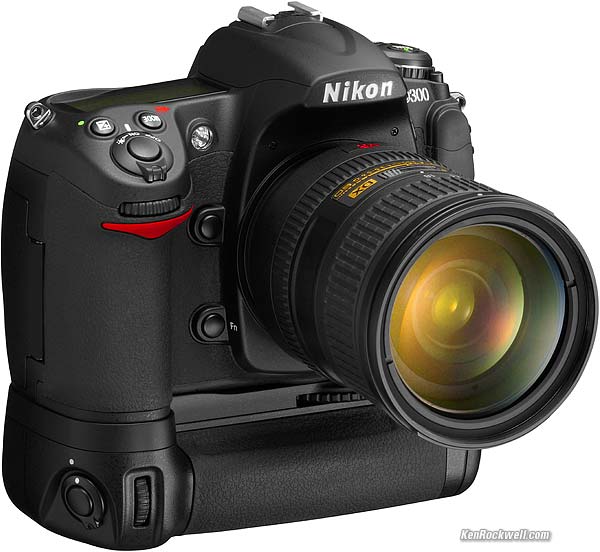
Nikon D300 and 8FPS MB-D10 Grip.
Ultrasonic Sensor Cleaner
New to Nikon, but old news to Olympus, Canon and others. I haven't had dirt problems since 2003, so I don't worry about it.
Scene Recognition System
Nikon has used a unique 1,005-pixel RGB sensor for light meters in its top cameras since the Nikon F5 of 1998. Today this sensor's rough image is interpreted by the D300's computer to try to figure out what you are photographing, and based on this knowledge, adjust not only the exposure, but now also adjust the AF and white balance.
Proper exposure has always been predicated on knowing what you're photographing, and how then you want it to look. For instance, dark things need to be left dark, and light things need to be left bright. A brilliant orange dot in the frame might be the disc of the sun, or might be an orange. You need to know which to expose correctly. The 1,005 pixel sensor feeds its data to the computer, the computer makes a good guess about the subject, and then calculates the exposure. This is similar to the way our eyes see. Our eyes see little; they merely fed data to our brains in which all seeing occurs.
For example, 3D AF tracking locates a moving subject and automatically shifts AF points to track it. This system also tells the exposure computer the subject's location in the frame so it can be weighted accordingly. By knowing the distance, it's another way the computer can guess if it's the sun or an orange.
Like our eyes and brain, this system is far more than its hardware. What will make the Nikon D300 wonderful (or not) is how much genius and wisdom has been programmed into it by its creators.
This appears to be exactly the same as the Nikon D3.
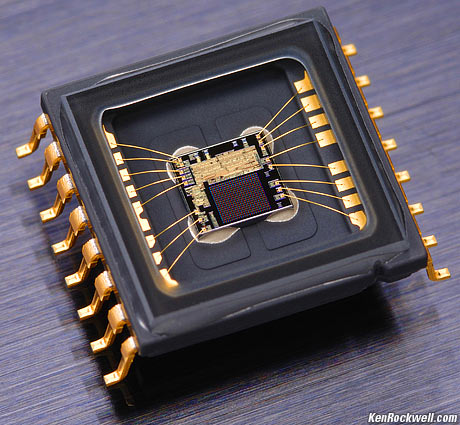
Nikon 1,005 Pixel RGB Sensor.
Recordable Color and Contrast Settings
Nikon uses the cryptic phrase "Picture Control System" to refer to the saturation and contrast adjustments. This keeps it as confusing as Canon's similar "Picture Styles" and "Parameters," which do the same thing.
Nikon claims that different model cameras set to the same settings will look the same, a great advantage for those of use with different cameras.
Canon has had a significant advantage because Canons have had a broader range of adjustments, so I can crank up my colors more vividly on my Canons than I can on my Nikons. Of course Nikon's narrower range of adjustments make it almost impossible to destroy your images by using the wrong settings, as I can do on my Canons.
My Nikons set to their maximum saturation (Color Mode IIIa and + Saturation in Optimize Image > Custom) are about equal to my Canons set at +2 saturation. My latest Canons go to +4 for saturation.
I'm unsure of the D300's performance here; it may be the same, but hopefully it's been expanded.
What has been expanded is a feature that's been in Casio point-and-shoots: the ability to store these settings and save, export and import them to and from cameras and users.
The Nikon D300 can customize and store up to nine sets of these, and export up to 99 to a CF card. Cooler still is that these settings can be shared with other new Nikon cameras, like the Nikon D3, after you've saved them.
Fluff
Technical niceties don't make good pictures. Good pictures come from a photographer's skill, and the abilities of the camera's designers to integrate everything to work well together. All because something is calculated with extraordinary precision doesn't mean that it started off with the correct information, or that its accurate, for instance.
Top LCD
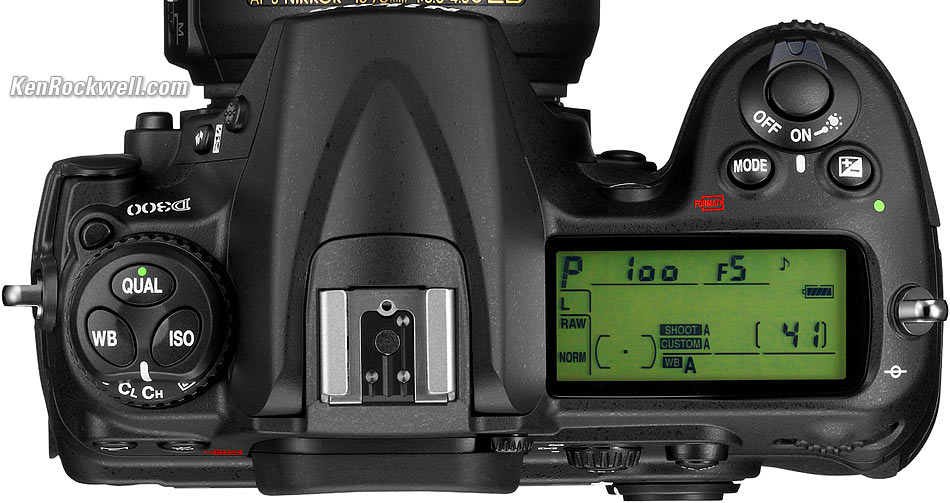
Nikon D300. enlarge.
I hate top LCDs. They are a throwback to mechanical film cameras when the controls had to go on top there because the film ran along the back.
Unless I'm shooting from waist level (which I don't), it's stupid to have to flip the camera to see the settings.
Thank goodness there is an INFO button on the rear of the D300, which is copied from my D40, which puts the information from the top LCD on the rear LCD where I can see it!
Nikon tells us the top LCD, which is the same size as the one on the D200 (1.8 x 0.8" or 46 x 20.8 mm) has lettering that can be switched to match shooting conditions.
HDMI Video Output
The Nikon D300 has a traditional analog NTSC and PAL video output. The D300's monitor works at the same time you use the analog output, but of course the analog video output looks crappy.
It also has a digital HDTV HDMI output, which plugs into most modern flat panel TVs and HDTVs. The only catch is that the D300's monitor goes blank when you use the HDMI output. The HDMI output runs at 1080i, as well as 480p and 720p, so it will drive any TV you're likely to encounter in the field.
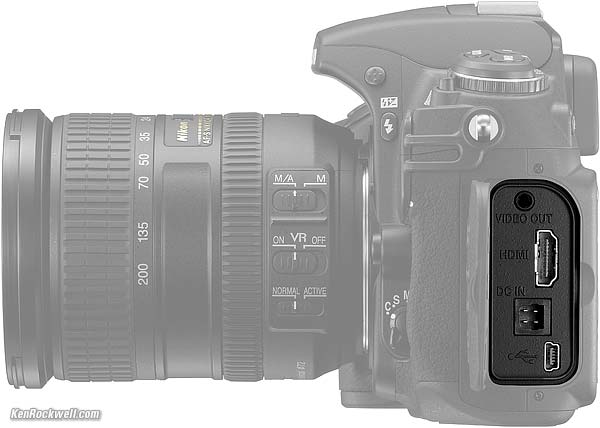
Nikon D300 Video, Data and Power Inputs and Outputs.
16-bit internals
That said, Nikon claims 14-bit ADCs and 16-bit internal processing pipes. Big deal; the proof is in how cleverly the designers utilize this power and precision. For instance, 16-bit CD players in the 1980s often used 32-bit internal precision in the guts of their the FIR filters, no big deal. It is customary in digital signal processing to use far more bits internally than any of the inputs or outputs so that one can maintain the precision of the input or output through all the nasty internal steps involved. It's been done this way for decades; in fact, to maintain 14 bits of precision one probably ought to use 24 or 32 bits internally.
"EXPEED – Nikon’s image processing concept embodied." What?
16-bit internals is real technology understood by most engineers.
"EXPEED – Nikon’s image processing concept embodied" is just marketing fluff. It's Nikon's fluff for the fact that the insides of their digital cameras contain signal processing, as every digital camera and CD player has for decades. It's like Canon's DIGIC: meaningless to users.
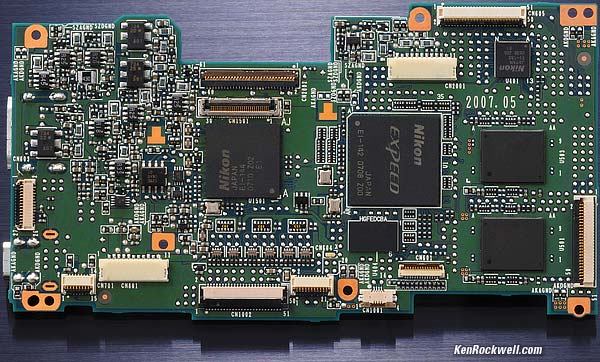
Nikon D300 Main Printed Circuit Board.
No Real Change in Resolution
The D200 already has as many, or more, pixels than are reasonable in a sensor this small.
When I bought my first $5,000 DSLR in 2002 it only had 2.7MP, and lens performance didn't matter. I find 6MP about right for a DX sensor: lenses are sharp enough in practical use to make to make excellent use of the pixels provided. When we get to 10 MP, the pixels aren't doing much in most images other than giving a more precise image of my lenses' (or technique's) own limitations.
I make great 20 x 30" (60 x 80cm) prints from JPGs from my D200, so the only way you'll start seeing any difference is if you're printing at least that big. If you think 13 x 19" (30 x 50cm) is a big print, you're not going to see anything.
Even if you print huge, there is only a 10% difference in linear pixels between the D200 and D300 (3,872 vs. 4,278 pixels horizontally). The D300's images are only 408 pixels wider than the D200's images, or less than a VGA image. That's only 10% and it's invisible.
Making this even less significant than 10% is that more pixels are merely splitting your lenses' optical performance (and your technique) in more ways. Maybe the D300 can use 11 pixels to split a hair and the D200 only has 10, but ultimately, this many pixels jammed onto a DX sensor are usually only serving to give you a more precise picture of your lenses fuzziness or the limits of your technique.
To make good use of this many pixels requires a full-frame DSLR like the Nikon D3 or Canon 5D, because although there are the same number of pixels, each pixel is taking in a larger area and the lens only has to resolve 67% as much in full-frame as it does for DX. Regardless of how good your lenses, diffraction limits them above about f/11.
Top Intro Specifications Recommendations
Body
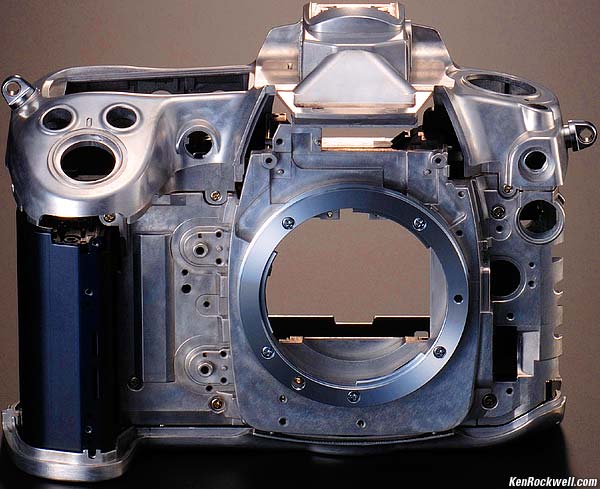
Nikon D300 Chassis
Magnesium alloy chassis with lots of seals and gaskets.
The rear LCD is strengthened with tempered glass.
Lens Compatibility
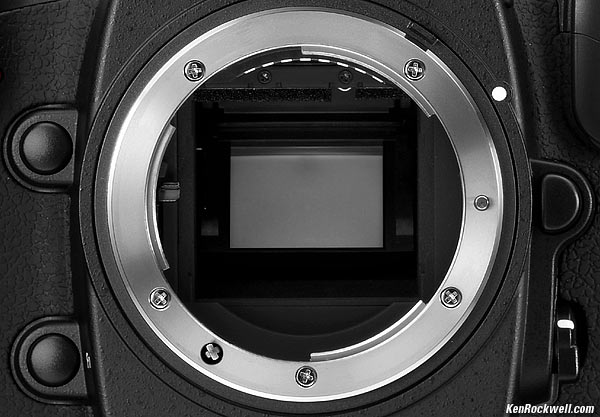
Nikon D300 Lens Mount.
The Nikon D300 works great with every lens made since 1977, especially every autofocus lens made in the past 20 years.
For manual lenses, enter the lens' focal length and aperture as you do with the D200, and you'll get matrix metering and A and P exposure modes. Yay!
No ability for pre-AI lenses; you'll have to have these 1959-1977 lenses converted at a machine shop.
No full-time mirror lockup, so forget the ancient fisheyes and 21mm that poked into the body.
Finder
100% coverage.
0.94x magnification (50mm lens).
19.5mm eye relief (eyepoint).
-2 to +1 diopters.
On-demand grid lines, much better than needing to replace a screen a la Canon.
Autofocus
51 points.
The center 15 sensors see detail in any orientation (cross sensors), while the other 36 sensors can only focus on details if they run in the correct direction (Nikon calls these horizontal sensors).
Multi-CAM 3500DX sensor and numerous selection modes few people will ever figure out. The good news is that my other Nikons always work great, even if no one really knows what's happening inside. I have no reason to believe that the AF of the D300 is anything other than spectacular; lets hope the finder isn't obliterated with AF sensors so we can compose clearly.
Very sensitive as most AF systems, rated down to EV -1.
In Live View Mode, the AF system has another completely separate system that can autofocus directly from the image gathered by the image sensor, as point-and-shoots do.
AF Illuminator: Yes.
Shutter and Advance
Frame Rate: 6 FPS.
8 FPS with MB-D10 grip and any battery other than the standard EN-EL3e battery.
Note: Like every other camera, this presumes you're not expecting the pictures to be in focus. If you expect the photos to be in focus, the frame rate slows.
Shutter: 30 - 1/8,000 and bulb, in full, 1/2 or 1/3 stops.
Cable Release Socket: Nikon standard 10-pin, so budget about $100 for a cable release.
Buffer Depth: 100 shots, JPG Large, presuming you're using a good card like the San Disk Extreme IV I use.
Advance: Single; continuous frame rates selectable from 1 FPS to a maximum of 8 FPS depending on power supply. Live View (LV), self-timer (2-20 sec.), and mirror pre-release (Mup) modes.
Shutter Death: tested (not guaranteed) to 150,000 cycles.
Sensor, Image and Exposure
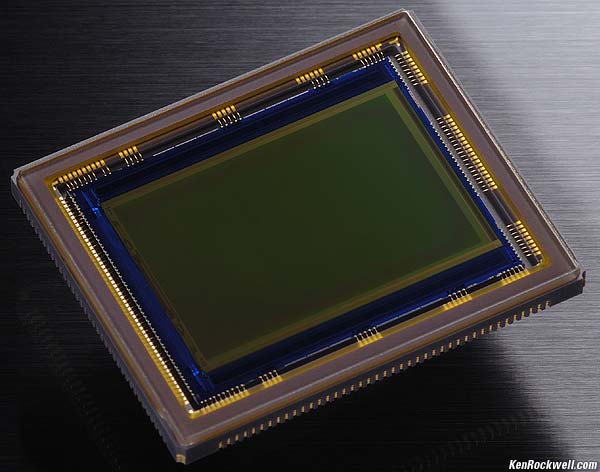
Nikon D300 Sensor.
Sensor: 12.3MP DX CMOS, 1.5222x crop factor, 23.6 x 15.8mm.
Ultrasonic Sensor Cleaner.
Image Sizes: 4,288 x 2,848 (L, native), 3,216 x 2,136 (M), 2,144 x 1,424 (S).
ISO: 200 - 3,200 (ISO 100 and 6,400 if you enable them in a custom function). The entire range can be set in 1/3 stops. Additionally, the range from ISO 200 - 3,200 can be set in 1/2 stops.
Metering: 1,005 pixel RGB Matrix, center weighted (selectable diameter) and spot. Couples to AI manual focus lenses, and if you enter information about your manual lens, you can get matrix metering with them, too.
White Balance: Auto with 1,005 pixel sensor, seven of the usual presets (each with individual fine-tuning, a huge advantage of Nikon over Canon) and degrees Kelvin. I see no spec for a white/gray card setting, but I know it's there someplace and that the Nikon D300 probably has several. The D200 has them.
Flash
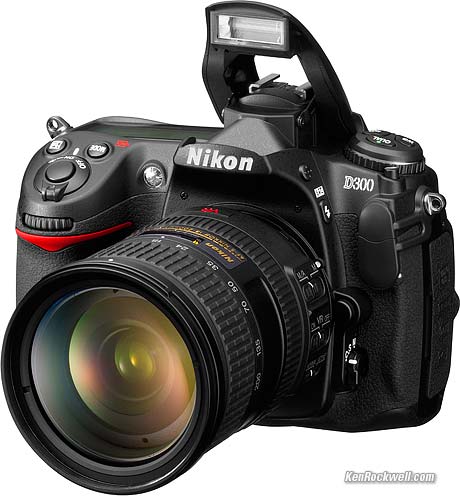
Nikon D300 Built-in Flash.
Built-in Flash: Yes; same GN 40'/12m pop-up as other Nikons.
Maximum Shutter Speed With Flash: 1/250 in normal modes. Trick FP mode for faster speeds with greatly reduced flash efficiency. (see Flash Sync Speeds.) The specs I'm reading are unclear, there is a delicious possibility that standard sync may be 1/320.
Flash Metering: Nikon's superb 1,005 pixel RGB iTTL sensor. Only works with SB-400, SB-600 and SB-800; other flashes can't use any TTL mode. Tip: If you have an old Nikon flash like an SB-20 or SB-80DX, use it in its A mode and set the D300 accordingly. It works reasonably well.
Data, Files and Storage
Formats: JPG, 14-bit and 12-bit NEF raw. You have your choice of uncompressed, lossless compressed and lossy compressed raw.
Storage: CF type I and II and microdrives.
Secret EXIF Text Data: YES, 36 characters added to each file. I use this in all my Nikons to put © KenRockwell.com and my phone in every one of my files automatically as they are created. See how to do it on a D200; I suspect the D300 is similar.
Data Transfer: USB. With optional WT-4: wireless and ethernet.
LCD Monitor
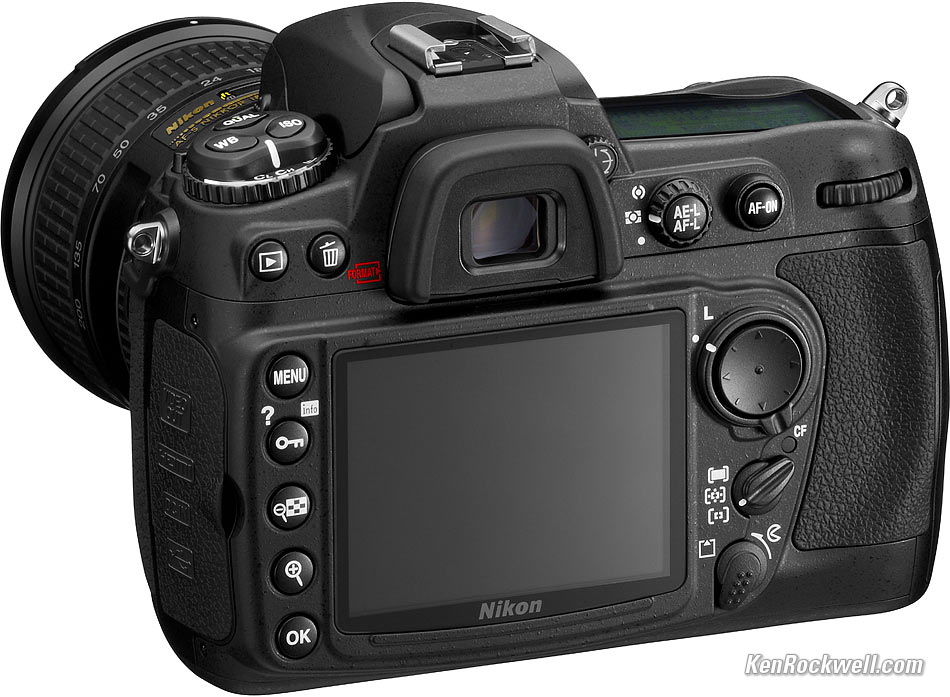
Nikon D300 enlarge
3-inch LCD with the option of live viewing ("Live View").
920,000-dot high-resolution, which is a full 307,200 pixels (640 x 480 x 3), which is extremely high linear resolution; more than any other digital camera of which I know except the same screen on the D3. Every other camera is using only a 320 x 240 pixel resolution LCD, and I believe confusing dots with pixels. A pixel is properly three dots. 320 x 240 x 3 = the 230,000 dot/pixel number used in other 3" and 2.5" screens.
Color Playback Histogram: YES.
Live Histogram: unknown; probably not.
Size, Weight and Power
Size: 5.8 x 4.5 x 2.9" (147 x 114 x 74mm) W x H x D, specified.
Weight: 29.1 oz (825g) stripped: no battery, no card, no strap, no lens, etc., specified.
Power: EN-EL3e battery (same as D80 and D200, yay!). MB-D10 grip (see below) or optional EH-5a AC Adapter.
Battery Life: Unspecified.
Accessories
Included Accessories (will vary by country):
Body Cap and Software CD
EN-EL3e Battery (same as D200 and D80)
MH-18a Charger (same as D200 and D80)
UC-E4 USB Cable
EG-D100 Video Cable
AN-D300 Strap
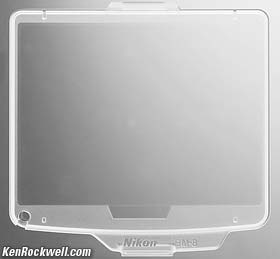
BM-8 LCD Cover
DK-5 Eyepiece Cap (for use on a tripod to keep stray light from affecting the meter reading)
DK-23 Rubber Eyecup
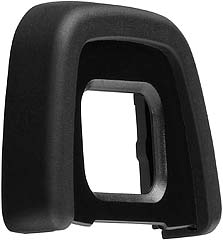
Nikon DK-23 Eyecup - wow!
Optional Accessories
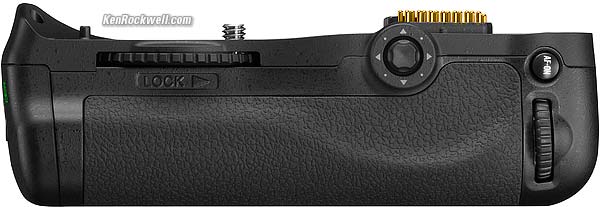
Nikon MB-D10, back.
MB-D10 Multi-Power Battery Pack, which uses or the same EN-EL3e, or an EN-EL4a or EN-EL4 (same as the D2 and D3), or eight AA batteries.
The AAs may be anything: alkaline, Ni-MH, throw-away lithium or even the crappy "heavy duty" batteries sold at flea markets. You can crank at up to 8 FPS with any of these except if you're using the little standard EN-EL3e.
If the battery in the grip dies, it switches automatically to the camera's own battery.
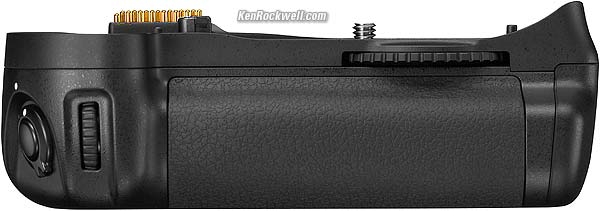
Nikon MB-D10, front.
WT-4 Wireless Transmitter
The WT-4 transmitter lets you connect the Nikon D300 to your computer via Wi-Fi and Ethernet. The Nikon D3 uses the same transmitter.
You can see thumbnails of images shot, and transfer the images you desire without having to download from CF cards.
You can buy more software, Nikons Camera Control Pro 2, (I think Canon includes this for free with their transmitter), and control the D300 from your computer.
Using the Live View function and the extra-cost software, you can see what you're doing or use the D300 as a remote spy cam. You can put your D300 someplace, and control and photograph with it from the secrecy of your remote laptop with Live View. If your target sees your camera you might lose your D300, but you can get away before they find you.
MC-35 GPS Cord
Expensive 10-pin remote cords. Nikon saves the good IR remotes for the cheap cameras. I hate these 10-pin things; I misplaced mine and I'm using my self timer until I find it.
Capture NX software
Camera Control Pro 2 software
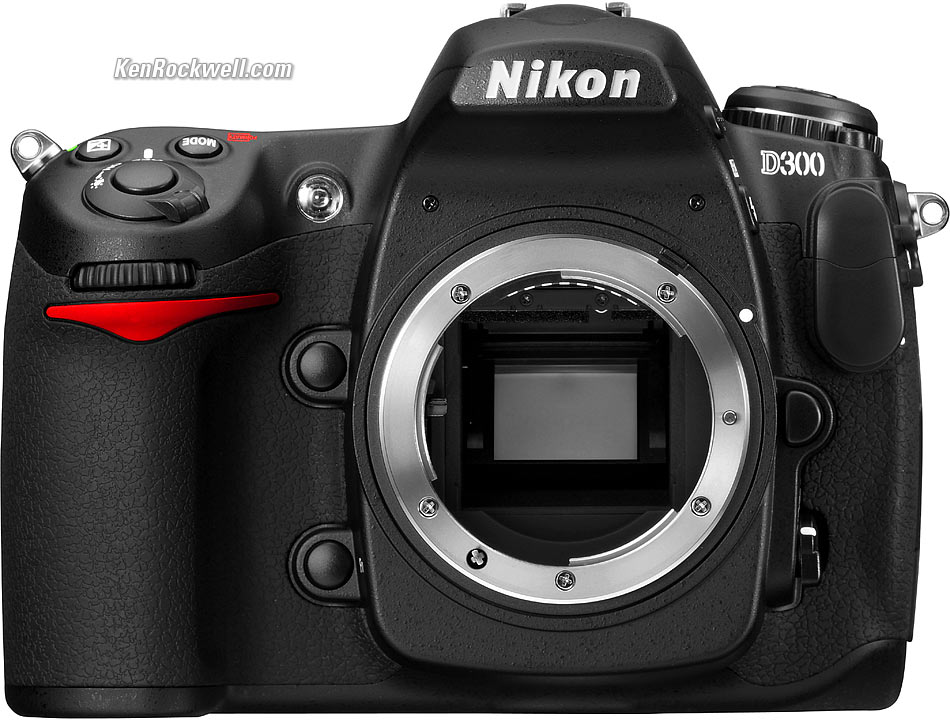
Nikon D300. enlarge.
Price and Availability
Price: $1,799.95.
Announced: 23 August 2007.
Available: November 2007.
Recommendations
Top Intro Specifications Recommendations
The Nikon D300 has some new tricks, a negligible few more pixels, a faster frame rate (6 or 8 FPS vs 5 FPS in the D200) and a magnificent high-resolution LCD.
The D300 also costs more than the D200. The D200 runs about $1,500 - $1,650, while the D300 will be $1,800.
If you don't already own a D200, then I'd get the D300 and not look back.
I ordered a D300 for myself. I love my D200 and wouldn't be getting a D300 personally, however with your generous help I'm able to budget for one so that I can review it as intelligently as you all have come to appreciate. I don't get any of this stuff for free.
If you already own a D200 and are on a budget, I wouldn't run out to exchange cameras unless you're doing sports and get the MB-D10 grip for 8 FPS. Cheapskate that I am, if it wasn't for my readers' help I wouldn't be getting one either, since I have a D200.
See also Is It Worth It?
PLUG
If you find this as helpful as a book you might have had to buy or a workshop you may have had to take, feel free to help me continue helping everyone.
Thanks for reading!
Ken